top of page


Private Offer Acceptance
Request the private offer, then wait for the seller to contact you. Use the orange buttons to review and accept.

Navigate to the AWS Marketplace homepage. From the drop-down menu under your username, select Your Private Offers.

Click on the private offer you wish to view.

Review the contract pricing and legal agreement, then click Create Contract.

You will see that the private offer no longer appears under Available offers. To view the accepted offer, go to Accepted and expired offers.
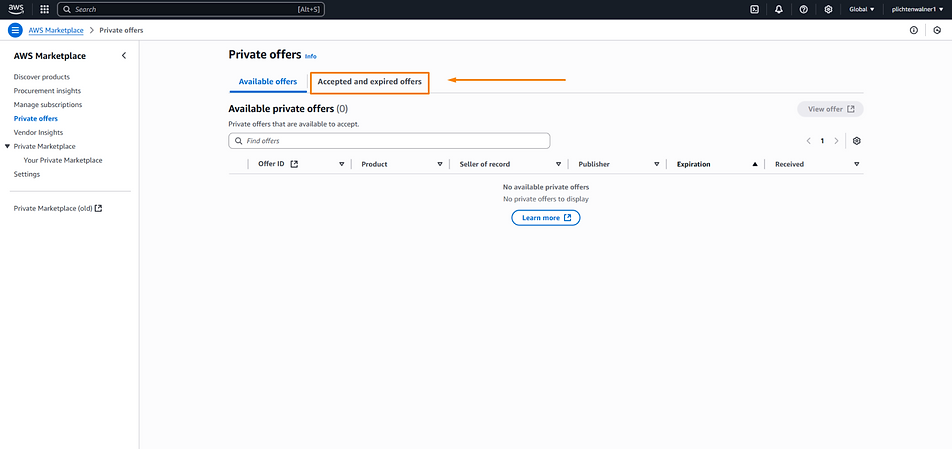
From here, you can manage all accepted offers and review their pricing and terms by selecting the offer you wish to view.


bottom of page